Ask Nova — AI-Powered Target Selection
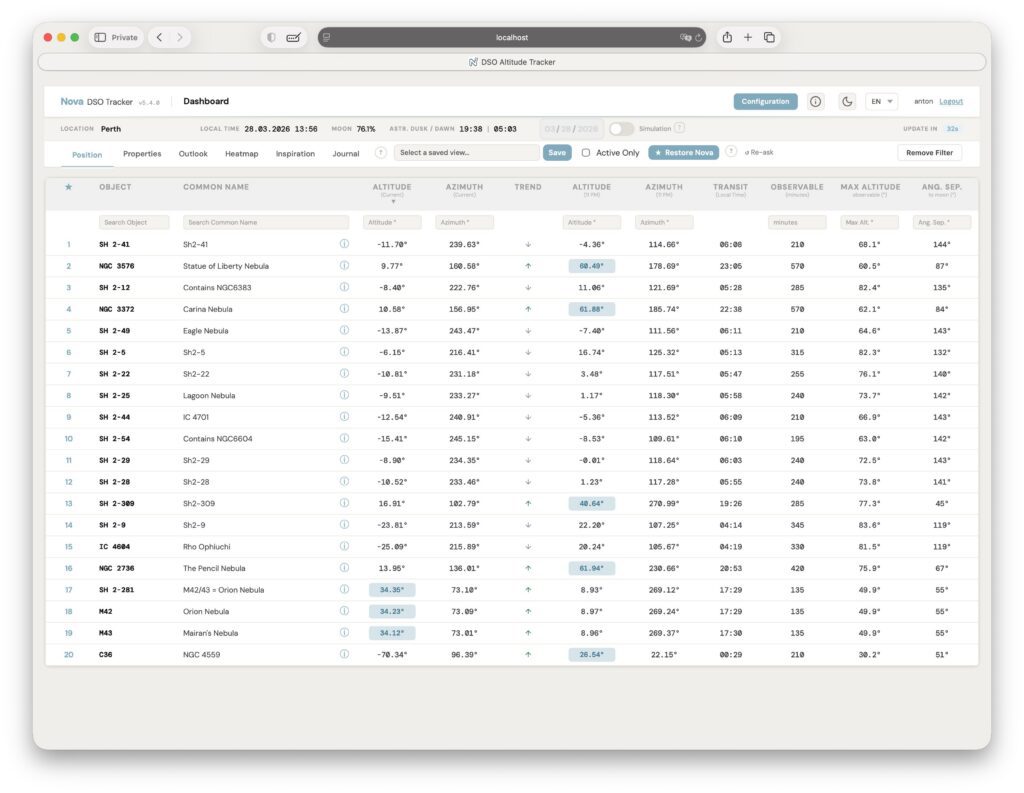
The headline feature in 5.4.0 is Ask Nova, an AI assistant that analyzes your object list and ranks the best targets for tonight based on real-time sky conditions, your location, equipment, and moon phase.
How it works
- Click the Ask Nova button (star icon) on the dashboard to trigger a ranking.
- Nova sends your visible objects with altitude curves, transit times, moon separation, and phase data to an AI model.
- The dashboard is re-sorted with a dedicated Nova Rank column — highest priority targets at the top.
- Rankings are cached per location and date. Use Restore Nova for instant replay, or Re-ask to force a fresh query.
AI features in the Journal
- DSO Observation Notes — generate contextual observation notes for any target from the graph view.
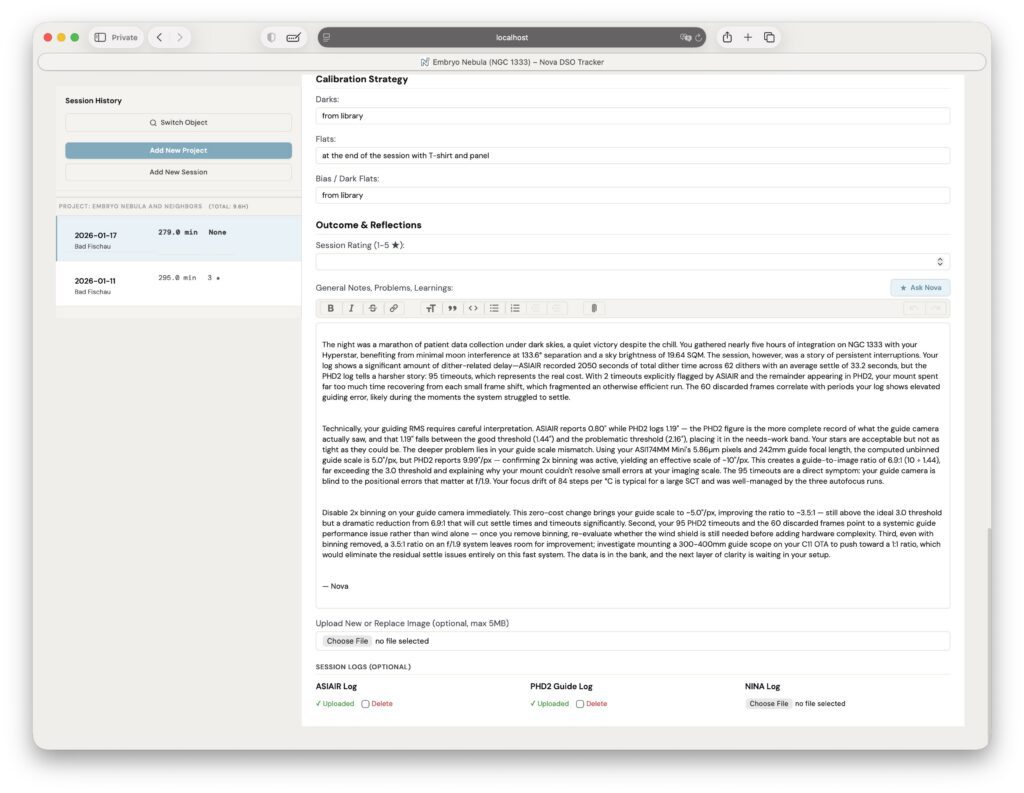
- AI Session Summary — stream a comprehensive session write-up (weather, conditions, equipment, targets, notes) directly from the journal form. Uses server-sent events for real-time feedback.
Supported AI providers
| Provider | Models | Notes |
|---|---|---|
| Anthropic | claude-sonnet-4-20250514, claude-haiku-4-5-20251001 | good quality rankings |
| OpenAI | gpt-4o, gpt-4o-mini | Works out of the box |
| OpenAI-compatible | Z.AI, MiniMax, or any compatible endpoint | Requires AI_BASE_URL |
| Ollama | llama3, mistral, qwen2.5, etc. | Free, runs locally, requires AI_BASE_URL |
Configuration
Add the following to your instance/.env file:
# AI provider: anthropic, openai, openai-compatible, or ollama
AI_PROVIDER=anthropic

# API key for the chosen provider (leave empty to disable AI)
AI_API_KEY=your_api_key_here

# Model name — must match the provider's model identifier
AI_MODEL=claude-sonnet-4-20250514

# Base URL — required for openai-compatible and ollama, ignored for anthropic/openai
#   Z.AI (general)     : https://api.z.ai/api/paas/v4
#   Z.AI (coding)      : https://api.z.ai/api/coding/paas/v4
#   MiniMax            : https://api.minimax.io/v1
#   Ollama (local)     : http://localhost:11434
AI_BASE_URL=

# Comma-separated usernames allowed to use AI features
# Use 'all' to grant access to all users
# Leave empty to disable AI for all users even if API key is set
AI_ALLOWED_USERS=all
AI features are entirely optional. If AI_API_KEY is empty or AI_ALLOWED_USERS is empty, all AI buttons are hidden and Nova works exactly as before. In multi-user mode, you can restrict AI access to specific usernames.
N.I.N.A. Log File Support
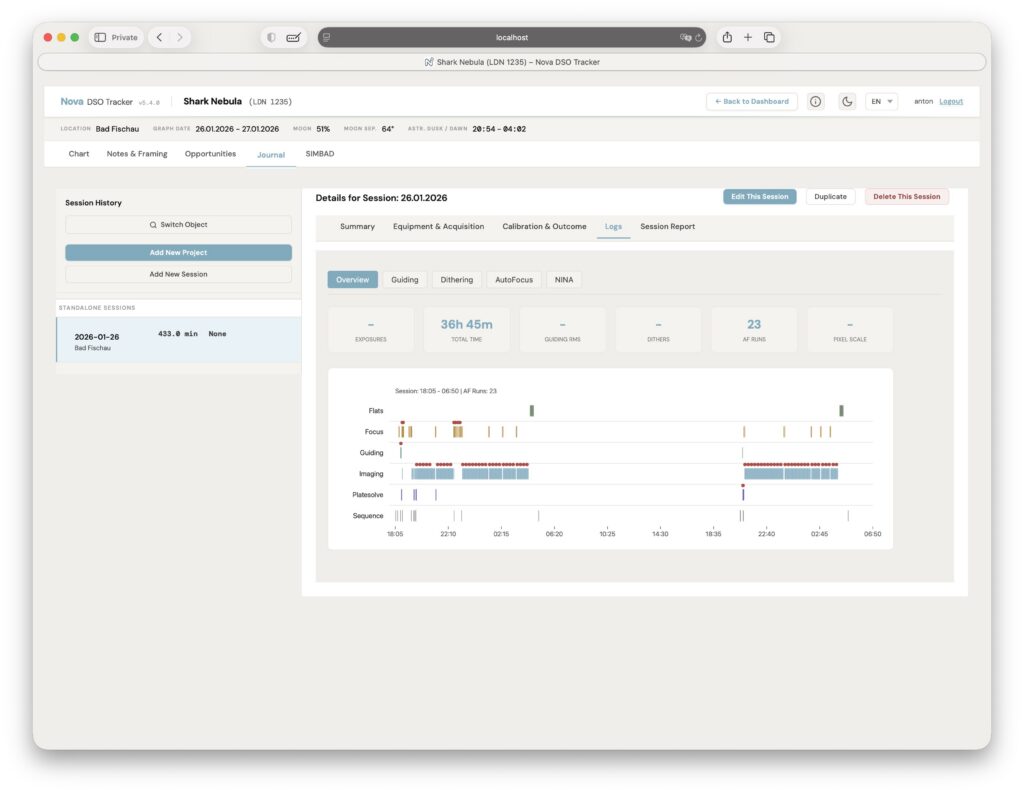
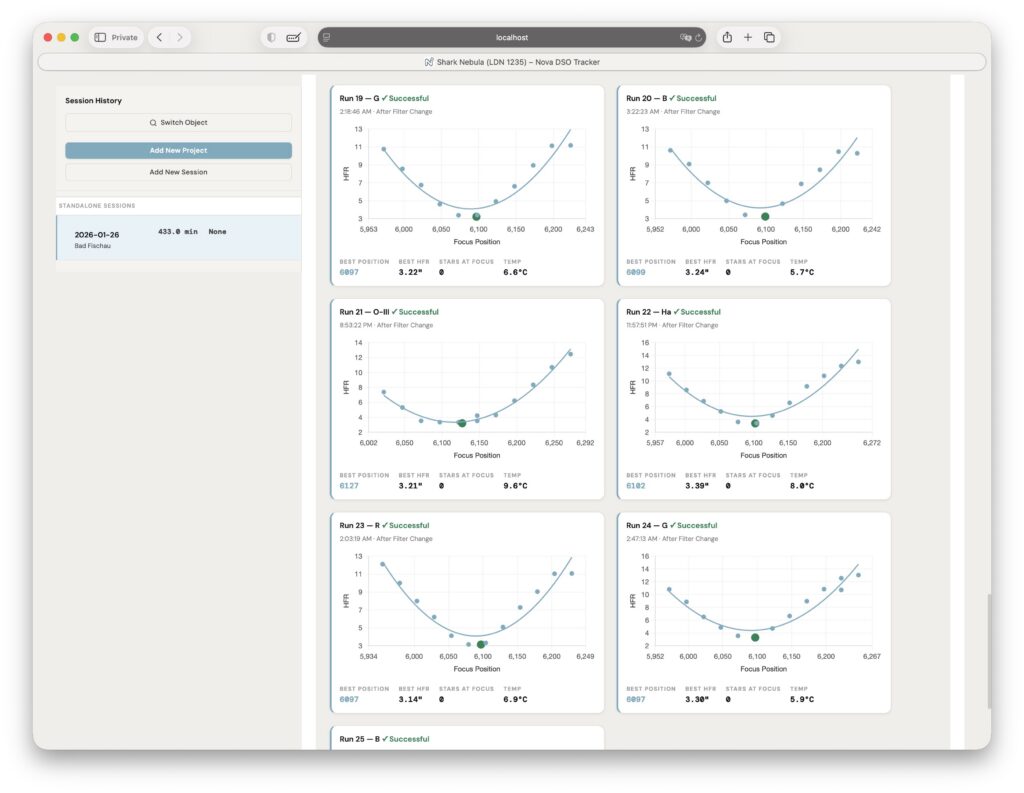
Nova now parses N.I.N.A. (Nighttime Imaging ‘N’ Astronomy) session logs alongside ASIAIR and PHD2:
- Session Swimlane on the Overview tab — visualizes equipment startup, guiding, imaging, platesolving, flats, and error events as a color-coded timeline.
- Autofocus Analysis — AF run cards with success/failure states, V-curve plots, temperature tracking, and drift charts.
- Full integration with the existing PDF session reports.
Mobile Companion Overhaul
The mobile interface (/m/) received major improvements:
- New Object Detail page — full target info, altitude charts, moon separation, and opportunity dates on mobile.
- New Session form — complete journal entry creation from mobile with rig/filter selection.
- Enhanced Up Now — sliders and chip grids for altitude/size/magnitude filtering, sort dropdown, result count, and tap-to-navigate opportunity cards.
- Improved Outlook — date-grouped cards with click-to-navigate to the altitude chart.
- Chart improvements — sticky charts on scroll, fixed twilight blocks, year-view lunar cycle, and UTC date shift corrections.
- Framing Assistant page — dedicated mobile page replacing the previous bottom sheet.
Architecture Refactor
170 commits went into restructuring the codebase for maintainability:
- Blueprint migration — routes migrated from the monolithic
nova/__init__.pyinto organized blueprint modules (nova/blueprints/core.py,journal.py,mobile.py,projects.py,tools.py,api.py). - New AI module —
nova/ai/package with separate config, prompts, routes, and service layers. - Shared helpers — extracted reusable functions to
nova/helpers.py. - NINA log parser — new
nova/log_parser.pyfor structured log parsing. - No breaking changes — all API response shapes and URL patterns are preserved.
Other Improvements
- Flask-Migrate support — database schema management with Alembic migrations.
- Service Worker (
sw.js) — foundation for PWA/offline capability. - Test improvements — new
conftest.pyfixtures, database upgrade simulation tests, reduced test pollution. - i18n updates — all new AI strings translated across all 6 languages.
- Design tokens —
tokens.cssextracted for consistent theming.
New Dependencies
anthropic>=0.18.0    # AI provider (optional)
openai>=1.0.0        # AI provider (optional)
Flask-Migrate==4.1.0 # database migrations
Flask-Babel>=4.0.0   # i18n framework
AI dependencies are optional — they are imported lazily and only loaded when AI is configured.